Survival Mod for Melon Sandbox
- 3.4
- Rating
- 50.00K
- Installs
- Free
- Price
 Analysis by App-foxy
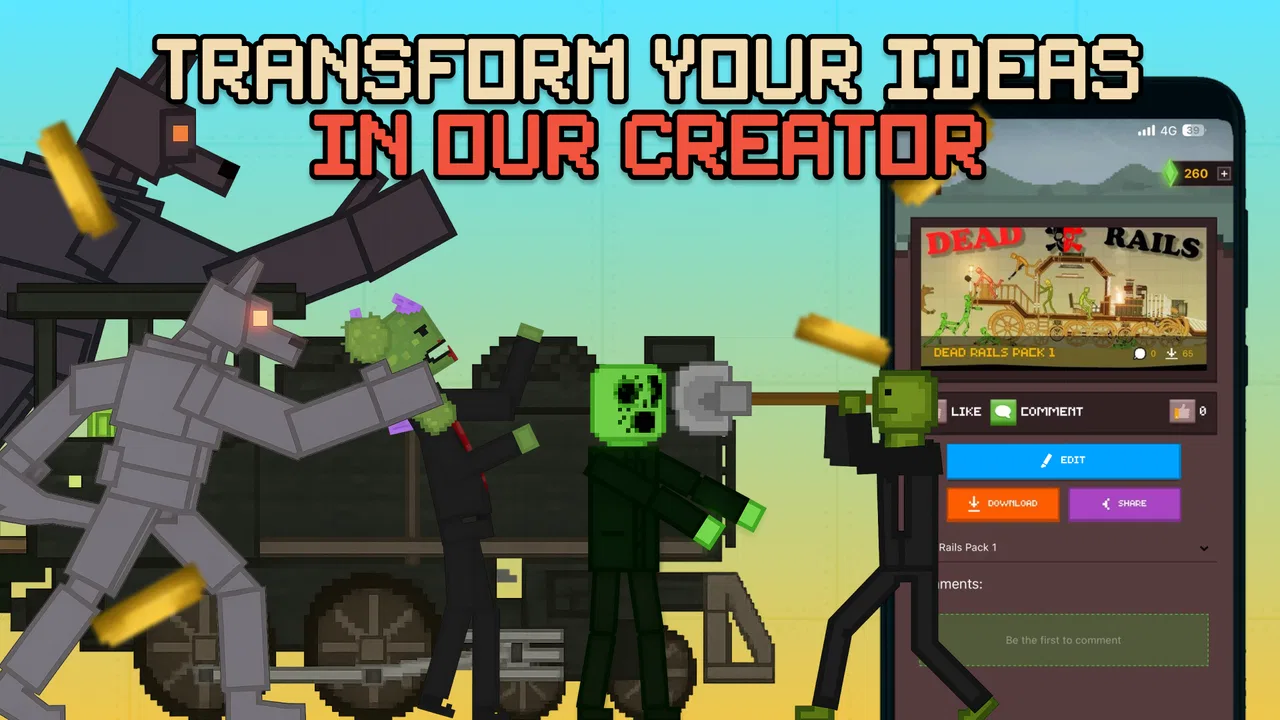
Survival Mod for Melon Sandbox is the kind of app I would open when I want to change the way I play Melon Playground without spending time hunting through scattered community pages. It sits in the events category, but its real purpose is as a community hub for mods, addons, saves, and modded content connected with the sandbox game. I found the idea appealing because a physics sandbox becomes much more interesting when fresh experiments are easy to discover.
The app is free to install, although it includes optional purchases priced from $1.99 to $29.99 per item. It is marked for Teen users, and the developer is Bejan Alexandru. The current release is version 1.4, with support beginning at Android 7.0. That combination makes it accessible to many older Android phones, but the experience still depends heavily on how smoothly the app can reach its online community content and how comfortable you are managing downloaded material for another game.
How the community changes the Melon Playground routine
My first impression is that this is less a standalone game and more a discovery tool for people who already enjoy Melon Playground. The value is not in replacing the sandbox itself. Instead, it gives players a place to look for ideas that can turn a familiar session into something different: a survival scenario, a custom setup, a new addon, or a saved experiment someone else has prepared.
You May Also Like

 Blood Strike: 2.5 Anniversary
Blood Strike’s Loadouts Turn Every Drop Into a Tactical Gamble
A close look at Blood Strike’s custom loadouts: how fast access to signature weapons reshapes its battle royale rhythm, rewards preparation, and narrows the gap between fights.

 Pandora - Music & Podcasts
Pandora’s Music Is Easy to Start, but Harder to Recover
Pandora’s strength is its low-effort path from a seed to a station. Its weak spot is how much confidence it asks you to place in connection, setup, and quiet recovery.

 8 Ball Pool
 Is Built on Rivalries, Rematches, and Routine
A close look at the rivalries, rematches, shared routines, and unanswered safety questions that turn a quick pool match into a persistent mobile community.

 Samsung Music
’s Quiet Strength Is Playing What You Already Own
Its reach comes less from spectacle than from dependable access to a personal library. That simplicity is both the app’s strongest retention engine and its ceiling.

 AccuWeather: Weather Radar
AccuWeather Review: A Quick, Clear Forecast for Everyday Decisions
For everyday plans, the best forecast is the one you can understand quickly. AccuWeather makes rain timing, radar, and local conditions easy to act on, with a few trade-offs.

 Hill Climb Racing
Why Hill Climb Racing Still Turns Crashes Into One More Run
A tiny car, a bumpy hill and one more upgrade: Hill Climb Racing keeps resurfacing because its simple chaos makes every near-miss feel personal.
More From Our News Desk



That distinction matters. If you do not already play Melon Playground, the app may feel incomplete because its purpose only becomes clear when you have the main game open or ready to use. For an existing player, however, it can reduce the repetitive part of the hobby: searching for something new, deciding what looks useful, and returning to the sandbox to test it.
I would not treat every item as equally valuable. Community libraries often contain practical creations alongside novelty content, and the best choice depends on what you want to do that day. A player building a survival challenge needs different material from someone who simply wants unusual props for a short physics experiment. The app is most useful when I approach it with a specific goal instead of scrolling without a plan.
One helpful habit is to separate discovery from play. I first browse for a small number of promising additions, then test them one at a time in Melon Playground. This makes it easier to notice which item actually improved the session. Installing or trying several things together can make a problem harder to trace and can also leave a cluttered collection that I no longer remember how to organize.
Why connectivity is central rather than incidental
The community angle makes network access an important part of the experience. Browsing current material, opening community pages, or retrieving content naturally requires a dependable connection. I found that using the app while connected to a stable home or Wi-Fi network is more comfortable than relying on a weak mobile signal, especially when I am exploring several items in succession.
This also changes how I plan a play session. If I am about to travel or spend time somewhere with unreliable reception, I would prepare beforehand rather than assume that everything I may want will be available at that moment. I would browse, choose the content I intend to use, and check that it is ready for the next step before leaving a reliable connection.
I like this workflow because it prevents the most annoying interruption: opening Melon Playground with a clear idea, then discovering that the supporting content still needs to be found or retrieved. It also encourages a more deliberate collection. Instead of treating the app as an endless feed, I use it as a staging area for the next sandbox session.
There is a trade-off, though. A network-oriented community app can feel less satisfying when you only want instant entertainment. If your priority is a game that launches and works as a self-contained experience, this is not the right type of download. Its usefulness grows when you are willing to browse, select, and move between the app and the main sandbox.
Using it comfortably on a phone
On mobile, the biggest advantage is convenience. I can look for a new idea while sitting on the sofa, during a break, or before starting a longer session. That is a better fit for casual discovery than waiting until I am already inside the game and then interrupting the experiment to search for something else.
At the same time, small-screen browsing rewards patience. Names, descriptions, and previews need to be read carefully because a quick tap can lead me toward something that does not fit the scenario I had in mind. I recommend reading enough context to understand whether an item is intended for a particular style of play before committing time to it.
A realistic everyday example would be a short evening session. I might have only twenty minutes, so I open the app first, look for one survival-oriented idea, and avoid collecting a large batch. I then move into Melon Playground with a clear objective: test that one addition, see whether it creates interesting interactions, and stop if it complicates the setup. That is more efficient than spending the entire break browsing.
Phone storage and organization also deserve attention, even though the app itself is free to install. Community content can become difficult to manage when I save everything that looks interesting. I prefer keeping a small rotation of items and removing experiments that no longer have a purpose. This is especially useful on an older Android device, where a lighter collection can make the overall routine feel less confusing.
The Android 7.0 minimum is a practical strength for people who keep an older handset. It means the app is not limited to recent phones, although compatibility with the broader Melon Playground setup can still depend on the device and the content being used. I would judge the experience by the complete workflow, not just by whether the app itself installs successfully.
When something goes wrong
Community content introduces more points where friction can appear than a normal offline-style utility. A page may take longer to load, a download may be interrupted, or an item may not behave as expected once I try it in the sandbox. The important response is not to assume that the entire app is broken. I first check the connection, retry the specific item, and then test it separately from anything else I recently added.
This one-at-a-time approach is my most useful recovery tip. If I add several mods or addons and the result is confusing, I have no clear way to identify the cause. With a smaller test group, I can return to the last known working setup and reintroduce content gradually. It takes a little longer at the beginning, but it saves much more time after a failed experiment.
I also recommend recording a simple note about what I selected for a particular scenario. It could be as basic as the name of the item and the purpose I had in mind. That small habit is valuable when I revisit the app later, because community browsing can blur together after several sessions. It also helps me avoid downloading the same kind of content repeatedly.
Recovery is easier when I treat the app and the sandbox as separate stages. I browse in Survival Mod, prepare the chosen material, and then test it in Melon Playground. If the experiment fails, I return to the last stage that worked instead of repeatedly changing everything at once. This is a more reliable workflow than tapping through the community feed while trying to troubleshoot inside the game.
The average rating is 3.6 from around ninety ratings, so I would approach it with realistic expectations rather than expecting a perfectly consistent experience for every user. That score suggests the app has appeal but also some rough edges. In my view, it is best suited to people who are comfortable with community-driven tools and do not mind a little trial and error.
Keeping mobile data under control
Because connectivity is so important here, I would be selective about when and how I browse. Wi-Fi is my preferred setting for exploring a large amount of content. On cellular data, I would limit myself to items I already intend to try instead of opening everything out of curiosity. This keeps the session more predictable and avoids turning casual browsing into an unexpectedly data-heavy habit.
A useful routine is to make a shortlist before retrieving anything substantial. I look at the available options, choose the one or two that match my planned scenario, and leave the rest for another session. This also improves organization: fewer downloads mean fewer abandoned experiments and less time spent trying to remember what each item was supposed to do.
I would also avoid browsing during a moment when the connection is unstable. Repeated retries are frustrating and can make it unclear whether a problem comes from the network or from the content itself. Waiting until the signal is stronger is often the simplest solution. If I am in a hurry, I would rather use something I have already prepared than start a new search under poor conditions.
The optional purchase model is another reason to slow down. The app is free, but individual in-app purchases range from $1.99 to $29.99. I would not buy anything simply because it appears during casual browsing. First I would decide whether the content supports the way I actually play, whether I have tested the free experience enough, and whether the purchase would add lasting value rather than a short distraction.
That advice is particularly relevant for younger users because the content rating is Teen. I would keep purchases deliberate and make sure the person using the device understands when an item costs money. The free entry point is convenient, but optional purchases can change the total cost of using a community catalog if I start buying without a clear plan.
How it compares with ordinary alternatives
The usual alternative is simply searching the web or browsing general video and social platforms for Melon Playground ideas. Those places can offer more variety, but they often mix tutorials, screenshots, commentary, and unrelated results. Survival Mod has a narrower purpose, which makes it more convenient when I want content connected directly to the sandbox rather than inspiration alone.
General search is still better when I need troubleshooting, a visual demonstration, or a broader explanation of how a scenario works. A community app cannot replace every kind of guide. I see it as the practical middle ground between the main game and the wider internet: more focused than a general search, but less comprehensive than a full discussion community.
Compared with using only the default Melon Playground experience, the app offers more room for experimentation. The cost is extra preparation and a stronger dependence on connectivity. Players who enjoy building their own scenes from the basic tools may not gain enough to justify another app. Players who quickly run out of ideas, on the other hand, are more likely to appreciate the steady stream of community-driven material.
Its best audience is therefore quite specific: existing Melon Playground players who want new scenarios and are comfortable testing user-created content. I would skip it if I wanted a finished, guided game, a completely self-contained offline activity, or a tool with no purchase decisions. I would also avoid making it my only source of help when I need detailed technical instructions.
My practical verdict on the connected experience
After using it as a companion to Melon Playground, I see Survival Mod as a useful discovery layer rather than a replacement for the game. Its strongest quality is focus. It brings mods, addons, saves, and related community material into a space aimed at the same sandbox audience, which can make the next session easier to plan.
The experience works best when I use a stable connection, keep my shortlist small, and test additions separately. Those habits address the main sources of friction: browsing fatigue, interrupted retrieval, confusing combinations, and unnecessary mobile-data use. They also make the app feel more purposeful than an endless feed.
There are clear reasons not to choose it. Connectivity shapes the routine, community content may require patience, and optional purchases mean that “free” does not necessarily describe every possible path through the app. The modest average rating also tells me to expect a useful but imperfect companion rather than a polished essential.
Still, for the right player, I would recommend giving it a try. If you already spend time in Melon Playground and want a convenient way to find fresh survival ideas or community additions, it can make your sessions feel less repetitive. My advice is to start with one carefully chosen item, use Wi-Fi when possible, and judge the app by whether it improves your actual sandbox routine. Its real strength is not instant action, but making connected discovery easier to turn into a better play session.
In short, Survival Mod for Melon Sandbox is worth considering as a focused community companion for Android users, especially those on older supported devices who enjoy experimenting with user-created material. I would keep it installed if I regularly wanted new setups, but I would not recommend it to someone seeking a standalone game or a guaranteed offline experience.
FAQs for Survival Mod for Melon Sandbox
01What is the Survival Mod for Melon Sandbox?
The Survival Mod for Melon Sandbox is an exciting addition to the original Melon Sandbox game, offering players a new dimension of gameplay. It enhances the sandbox experience by introducing survival elements where players must gather resources, craft items, and fend off threats to survive in a dynamic environment.
02Is the Survival Mod for Melon Sandbox free to download?
Yes, the Survival Mod for Melon Sandbox is available for free download. However, there might be optional in-app purchases or advertisements within the app. It's advisable to check the app description on the respective app store for any additional costs associated with premium features.
03What platforms support the Survival Mod for Melon Sandbox?
The Survival Mod for Melon Sandbox is available on both Android and iOS platforms. Make sure your device meets the necessary system requirements outlined in the app store to ensure smooth gameplay and access to all features the mod offers.
04Are there any age restrictions for playing the Survival Mod for Melon Sandbox?
While Melon Sandbox is generally suitable for a wide audience, the Survival Mod introduces elements of strategy and combat that may not be suitable for very young children. It's recommended for players aged 12 and up. Always check the app's rating in the app store for specific age guidelines.
05How does the Survival Mod enhance the original Melon Sandbox gameplay?
The Survival Mod brings a whole new layer of excitement to Melon Sandbox by adding survival mechanics. Players must manage resources, craft tools, and build shelters while overcoming environmental challenges. This mod not only tests creativity but also strategic thinking, making it a more immersive and challenging experience.
Pros
- Wide variety of survival tools and items.
- User-friendly interface for easy navigation.
- Regular updates with new features.
- Supports offline gameplay seamlessly.
- Engaging challenges to enhance gameplay.
Cons
- Occasional bugs can disrupt gameplay.
- In-app purchases can be expensive.
- Limited customization options available.
- Requires significant storage space.
- Some features need a stable internet connection.

Survival Mod for Melon Sandbox
Gallery